
- Status: APPROVED 2026-10-19 (Brian). Copied to content-staging/answers-blogs/ for the site builder.
- Channel: padleaders.com/answers/ (agent-facing Answers article)
- Suggested date: Wednesday, October 22, 2026
- Title (H1): How Do I Share Everything With a Client in One Link?
- SEO title (49 chars): One Link for Real Estate Agents: Share Everything
- Meta description (155 chars): One link for real estate agents: compare a vCard, a free Linktree and a Pad Page™, what to put on it, where to use it, and a 2-line script for your clients.
- URL slug: /answers/one-link-for-real-estate-agents/
- Focus keyword: one link for real estate agents (secondary: real estate agent link in bio)
- Tags: Answers, client experience, link in bio, vCard, QR codes, Pad Page
- Byline: By Brian Lee Burke, founder of PadLeaders, Colorado broker since 2003, the hardest working man in real estate
- Image suggestion: Hero: real phone screenshot of Brian's live Pad Page (padleaders.com/agents/highlands-ranch-co/brian-lee-burke/). Second: a real photo of a Kenna yard sign rider or open house sign-in table with the Pad Page QR code (group's own photo). Third: screenshot of an email signature with the Pad Page link. No stock photos of people, no other brokers' MLS photos, no Linktree screenshots of real agents.
- Links: see "Internal link suggestions" below the post.
- Disclosure: Yes. Directly under the byline and in the sign-off: "PadLeaders publishes this guide and sells Pad Pages. Brian Lee Burke, our founder, wrote it."
- Schema: Add FAQPage schema for the FAQ section. Article schema with author Brian Lee Burke.
- CTA: Check whether you qualify for the Founding 100 at padleaders.com/founding-100/.
<!-- BODY START -->
How Do I Share Everything With a Client in One Link?
By Brian Lee Burke, founder of PadLeaders, Colorado broker since 2003, the hardest working man in real estate
PadLeaders publishes this guide and sells Pad Pages. Brian Lee Burke, our founder, wrote it.
Short answer
Pick one link for real estate agents to send every client, and put everything on it: call, text and email buttons, save-to-contacts, every website and review page, and the requests clients actually make (home value, tour, pre-approval). A free link-in-bio tool works for many agents. A verified, phone-first page adds a contact card, reviews with the source, client tools and a trust check. Then use that same link everywhere: signs, email signature, the text after your first call, and the open house sign-in.
The three options, honestly
1. A vCard (digital contact card)
A vCard saves your name, phone, email and photo into a client's contacts.
- Good at: getting you into the phone with the right name.
- Missing: your website, reviews, social profiles, tools and any way to send a request. It is a contact, not a destination.
2. A free link-in-bio page (Linktree and similar)
A free Linktree is a list of buttons that point to your other links.
- Good at: fast, free, easy. For many agents, this is enough, and there is nothing wrong with starting here.
- Missing: a real contact card, real estate tools, reviews with the source, and any check that you are who you say you are. Brokerage name display is on you to get right.
3. A Pad Page
A Pad Page is a vCard plus a link hub, built for a phone and for real estate.
- What it adds: call, text, email and save-to-contacts buttons; every website, social profile, brokerage page and review page in one list; a QR code; an intro video; your Google rating with the source; a payment calculator; home value, tour and pre-approval requests; your own colors and logo with your brokerage name shown as the rules require; add to home screen like an app, no app store; and schema that helps search engines connect your profiles.
- The trust part: the Trust Verified seal is earned, not bought. It requires an active license on the state lookup, no public disciplinary action, a Google rating of 4.5 or higher with at least 10 Google reviews, matching name, brokerage, phone and website across the web, and one verifiable leadership marker. We re-check monthly. Not every agent gets in. Trust Verified means the member met the published PadLeaders criteria on the last check date. It is not an endorsement or a guarantee of results.
- The cost: after the first year, yearly by market: $299 small, $499 mid, $799 major market. The Founding 100 get year one free (details below).
If all you need is buttons, use the free tool. If you want clients to call, save you, check you and send requests from one place, that is what a Pad Page is for.
Steps: build your one link
- Choose your tool. vCard, free link page or Pad Page. Do not run three; pick one link and commit.
- Put contact first. Call, text, email and save-to-contacts first. That is what clients tap most.
- List every channel. Website, brokerage page, Google Business Profile, Zillow or Realtor.com profile, social accounts. Same name and phone on every one.
- Add proof with a source. Link your reviews where they live. Never paste quotes clients cannot check.
- Add the client tools. Payment calculator, home value request, tour request, pre-approval request.
- Show your brokerage correctly. Follow your state and brokerage advertising rules.
- Make the QR code. Test it with two phones before you print anything.
Where to use the link
- Sign riders and flyers: the QR code, with a short line like "Scan to reach me."
- Email signature: one link under your name instead of five icons.
- The text after your first call: send it within minutes, while they still remember you.
- Open house sign-in: a QR code at the table so visitors can save you and request a showing.
- Business cards and car magnets: the QR code again.
- Social bios: your real estate agent link in bio on every profile.
Worked example
A buyer calls about a listing on Saturday morning. You talk for eight minutes. Before you hang up, you say you are sending your link. You text it.
That afternoon, the buyer taps save-to-contacts, so your name shows up the next time you call. That night, they run three prices through the payment calculator. Sunday, they send a tour request for a different home from the same page. Monday, they forward the link to their partner, who opens your reviews at the source.
You did not chase them. The link did the follow-through, and you got the tour request in writing.
Script: explain it to a client in two lines
"I'm texting you one link with everything: my cell, my reviews, a payment calculator and a button to request tours. Save it to your home screen and I'm one tap away."
Watch-outs
- Do not send three links. Clients pick none. One link, every time.
- Keep your info matched. A different phone number on your link and your Google profile confuses clients and search engines.
- The calculator is an estimate. Tell clients the lender gives the real number.
- Test the QR code before printing. A dead code on 50 signs is an expensive fix.
- Do not promise results. No link can promise leads or rankings. It makes you easier to reach and easier to check.
Founding 100
The first 100 agents who pass Trust Verified get year one of a Pad Page free. In return: show the badge (the link is marked rel=sponsored), make one launch post with #ad or "I got my Pad Page free as a founding member", and give honest feedback. A review is never required. Check the live count at padleaders.com/founding-100/.
Internal link suggestions (editor notes, not part of the post)
- "Trust Verified" -> padleaders.com Trust Verified criteria page
- "Founding 100" -> padleaders.com/founding-100/
- "the text after your first call" -> padleaders.com/answers/new-lead-call-script/ and /answers/how-to-call-internet-leads-speed-to-lead/
- "open house sign-in" -> padleaders.com/answers/open-house-lead-generation/
- "Google Business Profile" -> padleaders.com/answers/google-business-profile-posts-10-minutes-a-week/
- "schema that helps search engines connect your profiles" -> padleaders.com/answers/how-to-get-found-on-google-ai-overviews/
- "Do I even need a website?" (optional aside) -> padleaders.com/answers/does-a-real-estate-agent-need-a-full-website/
- Example page -> padleaders.com/agents/highlands-ranch-co/brian-lee-burke/
- Free tool -> padleaders.com/audit/ (AI Visibility Check)

Questions
Is a free Linktree good enough for a real estate agent?
For many agents, yes. If you only need a list of buttons, start there. A Pad Page adds a contact card, reviews with the source, client tools and a trust check.
What should I put in my link in bio?
Contact buttons first, then every channel, then reviews at the source, then client tools like a payment calculator and tour requests.
Do clients need an app to use a Pad Page?
No. It opens in the browser and can be added to the home screen like an app, with no app store.
Does a Pad Page improve my Google ranking?
We do not promise rankings. The page includes schema that helps search engines connect your profiles, and that is all we claim. PadLeaders publishes this guide and sells Pad Pages. Brian Lee Burke, our founder, wrote it. Full disclosure: I built PadLeaders, and it's my company. Questions? Call (720) 704-4228. <!-- BODY END -->
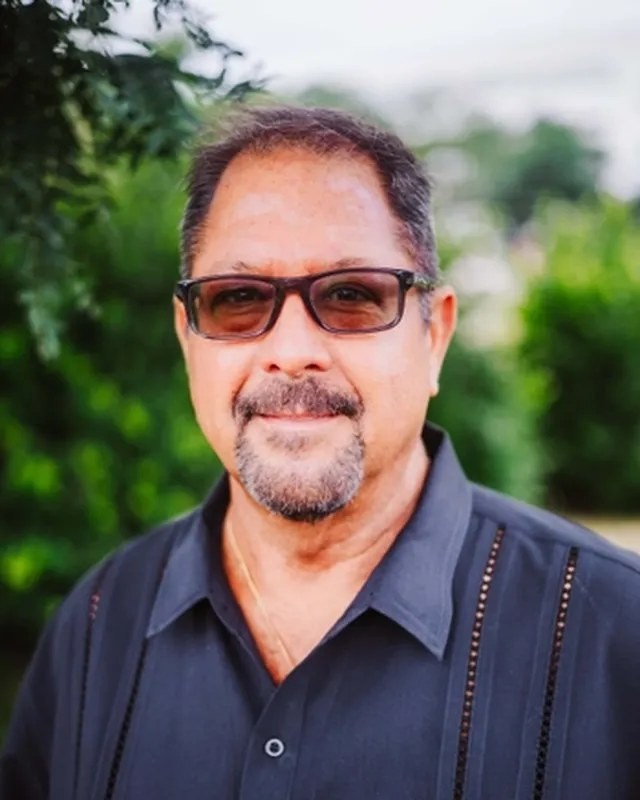
Brian Lee Burke is the founder of PadLeaders, a Colorado real estate broker licensed since 2003, team leader of The Kenna Group at Keller Williams DTC (formerly Kenna Real Estate Group) and the author of Mastering Real Estate and The Real Estate Playbook. More about Brian.